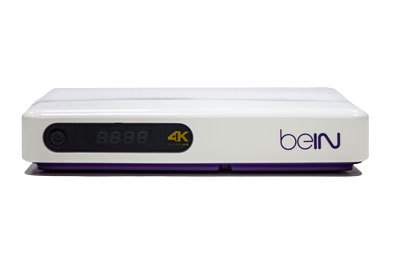
Latest Fox Movies Channel Frequencies on Nilesat
Fox Movies, a premier entertainment channel under the Walt Disney Company’s portfolio, is a favorite destination for movie enthusiasts across the Middle East and North Africa.
Launched as part of the Fox Network Group, Fox Movies delivers a thrilling lineup of Hollywood blockbusters, action-packed thrillers, family-friendly films, and timeless classics, often dubbed or subtitled in Arabic to cater to regional audiences.
Available as a pay-TV channel through providers like OSN, Fox Movies is renowned for its high-quality broadcasts and diverse cinematic offerings.
This article provides the latest and verified frequencies for Fox Movies on Nilesat as of June 2025, along with setup instructions, reception tips, and highlights of its programming, ensuring viewers can enjoy an unparalleled movie-watching experience.
On the subject of Fox Movies
Fox Movies, formerly known as Fox Movies Middle East, is a dedicated movie channel that brings the magic of Hollywood to the MENA region.
Operated by Disney’s regional division, the channel targets a broad audience, from action fans to families seeking wholesome entertainment.
Its programming includes recent releases like Avatar: The Way of Water, Marvel superhero epics, and classic films like The Godfather, all presented in high-definition (HD) with Arabic audio tracks or subtitles for accessibility.
As a pay-TV channel, Fox Movies is part of premium packages offered by platforms like OSN, requiring a subscription and authorized receiver for access.
The channel’s commitment to delivering a cinematic experience at home, coupled with its availability on Nilesat, makes it a top choice for movie lovers in the Arab world.
Latest Fox Movies Frequencies on Nilesat
To access Fox Movies, viewers need the correct frequency, polarization, symbol rate, and FEC (Forward Error Correction) settings for their satellite receiver.
Below are the latest frequencies for Fox Movies on Nilesat as of June 2025, sourced from reliable data. Note that Fox Movies is an encrypted pay-TV channel, requiring a subscription through providers like OSN and a compatible receiver with decryption capabilities.
Nilesat 201/Eutelsat 7 West A (7.0° West)
- Channel: Fox Movies (via OSN)
- Frequency: 11843 MHz
- Polarization: Vertical (V)
- Symbol Rate: 27500 kS/s
- FEC: 5/6
- Beam: Middle East and North Africa
- Encryption: Irdeto, VideoGuard
- Notes: This frequency provides strong coverage for viewers in Egypt, Saudi Arabia, and the UAE. Fox Movies is available in HD, requiring an OSN subscription and a smartcard-enabled receiver.
Additional Notes
- Limited Satellite Availability: Fox Movies is primarily broadcast on Nilesat for the MENA region and is not typically available on other satellites like Arabsat Badr (26.0° East), Hotbird (13.0° East), or Astra (19.2° East) for Middle Eastern audiences. Some providers may retransmit the channel on alternative satellites (e.g., Eutelsat 8 West B at 8.0° West), but these are less common and require provider confirmation.
- Encryption and Subscription: As a pay-TV channel, Fox Movies is encrypted using systems like Irdeto and VideoGuard. Contact OSN or your local provider to activate your subscription and ensure your receiver is authorized.
- Frequency Verification: Older frequencies (e.g., 11977 MHz on Nilesat) are outdated and should be avoided. Cross-check with OSN’s official channel guide or LyngSat for the most current settings.
- Outside MENA Region: Viewers in Europe, Asia, or the Americas may not have direct satellite access to Fox Movies due to regional restrictions. Check with local providers for retransmission or explore streaming services like Disney+ for similar content, subject to availability.
Tips for Receiving Fox Movies
To ensure a clear and stable signal for Fox Movies, follow these practical reception tips:
- Dish Size Selection: A 60-80 cm dish is sufficient for Nilesat in core MENA regions like Egypt, Jordan, or the UAE. In fringe areas (e.g., northern Europe or southern Africa), a 90-120 cm dish is recommended to capture a stronger signal.
- Precise Dish Alignment: Use a satellite finder tool or app (e.g., DishPointer or SatFinder) to align your dish accurately toward Nilesat at 7.0° West. Ensure a clear line of sight, free from obstructions like trees or buildings.
- LNB Compatibility: Install a Universal Ku-band LNB with local oscillator frequencies of 9.75 GHz (low band) and 10.6 GHz (high band). For multi-receiver setups, use a Twin or Quad LNB with a multiswitch.
- Signal Quality Monitoring: Check the signal strength and quality on your receiver’s setup menu. Aim for at least 70% signal quality to prevent disruptions, especially for encrypted HD channels.
- Weather Considerations: Ku-band signals can be affected by heavy rain or storms. Secure your dish to withstand wind and ensure proper installation to minimize signal loss.
- Receiver and Subscription: Ensure your receiver supports DVB-S/S2 standards and is compatible with the encryption system (e.g., Irdeto, VideoGuard). Verify your OSN subscription is active and your smartcard is properly inserted.
Steps to Configure Fox Movies on Your Receiver
Follow these steps to manually add Fox Movies to your satellite receiver:
- Access the Setup Menu: Using your receiver’s remote, navigate to the “Installation,” “Setup,” or “Channel Search” menu.
- Select Manual Search: Choose “Manual Scan” or “Manual Installation” to enter custom transponder settings.
- Choose the Satellite: Select Nilesat 201/Eutelsat 7 West A (7.0° West) from the list.
- Enter Transponder Details:
- Frequency: 11843 MHz
- Polarization: Vertical (V)
- Symbol Rate: 27500 kS/s
- FEC: 5/6
- Initiate the Scan: Press “Scan” or “Search” to locate channels on the transponder. Fox Movies should appear if your subscription is active.
- Save the Channels: Confirm and save the scanned channels to your receiver’s channel list.
- Fine-Tune the Dish: If the signal is weak or the channel doesn’t appear, adjust the dish’s azimuth and elevation slightly while monitoring the signal meter.
- Verify Subscription: Ensure your receiver is authorized by OSN, with an active smartcard or subscription. Contact OSN support if the channel remains encrypted or inaccessible.
For model-specific instructions, refer to your receiver’s user manual, as menu options may vary across brands like Humax, Strong, or Technisat.
Fox Movies Highlighted broadcasts
Fox Movies offers a dynamic and diverse lineup of films, catering to a wide range of tastes with Arabic dubbing or subtitles for accessibility. The channel is celebrated for its premium cinematic experience, showcasing both recent releases and iconic classics. Below are key programs and Content divisions:
Trending Content
- Blockbuster Movies: Recent hits like Avatar: The Way of Water and Spider-Man: Across the Spider-Verse, offering stunning visuals and action-packed storytelling.
- Marvel Superhero Films: Titles like Avengers: Endgame and Black Panther: Wakanda Forever, popular for their epic scale and fan-favorite characters.
- Family-Friendly Films: Animated movies like The Incredibles 2 and Frozen II, dubbed in Arabic, perfect for family viewing.
- Classic Cinema: Timeless films like Titanic and Jurassic Park, appealing to nostalgic audiences with their enduring appeal.
- Action Thrillers: High-octane movies like John Wick: Chapter 4 and Mission: Impossible – Dead Reckoning, keeping viewers on the edge of their seats.
Content divisions
- Action and Adventure: Films like Indiana Jones and the Dial of Destiny dominate prime-time slots, catering to thrill-seekers.
- Drama and Romance: Emotional stories like The Fault in Our Stars resonate with viewers seeking heartfelt narratives.
- Comedy: Light-hearted movies like Deadpool & Wolverine provide laughs for casual viewing.
- Science Fiction and Fantasy: Titles like Star Wars: The Force Awakens offer immersive, otherworldly experiences.
- Special Events: Fox Movies occasionally airs movie marathons, themed nights (e.g., Marvel Week), and red-carpet premieres, enhancing the viewing experience.
Fox Movies’ schedule is designed for flexibility, with prime-time slots (7 PM to 11 PM) featuring major blockbusters, weekend marathons for family viewing, and daytime reruns for varied audiences.
How Satellites Enable Global Live Sports Broadcasting
Satellite technology is the backbone of global live sports broadcasting. It allows major sporting events—such as the
FIFA World Cup and the Olympic Games—to be transmitted in real time to millions of viewers across continents with high reliability and quality.
1. Capturing the Live Event
- Multiple professional cameras capture the action from different angles inside the stadium.
- Audio commentary, instant replays, and on-screen graphics are added in a production control room.
- The final video feed is encoded into a compressed digital format suitable for satellite transmission.
2. Uplink Transmission to the Satellite
- The encoded broadcast signal is sent from a ground station (uplink facility) to a geostationary satellite in orbit.
- The satellite receives, amplifies, and shifts the frequency of the signal.
- High-powered transponders ensure wide and stable coverage over large regions.
3. Downlink Distribution to Broadcasters and Viewers
- The satellite retransmits the signal back to Earth across its coverage footprint.
- TV networks receive the signal at their ground stations for redistribution via cable, terrestrial, or IPTV systems.
- Home satellite dishes receive the signal directly for live viewing.
4. Maintaining High Quality and Low Latency
- Advanced standards such as DVB-S2 and HEVC compression allow HD and 4K broadcasts with efficient bandwidth usage.
- Redundant satellite links prevent interruptions during critical live moments.
- Hybrid systems combine satellite and fiber networks to minimize broadcast delay.
5. Why Satellites Are Essential for Live Sports
- Global reach without relying on local infrastructure.
- Simultaneous transmission to multiple countries and languages.
- Reliable performance even in remote or disaster-affected areas.
In summary, satellites make worldwide live sports coverage possible by rapidly transmitting high-quality video signals from stadiums to broadcasters and viewers everywhere, ensuring fans never miss a single moment of the action.
How to Check the Integrity of Cables and Connectors
The quality of your satellite signal heavily depends on the condition of cables and connectors. Damaged or loose connections can cause signal loss, poor picture quality, or intermittent reception. Regular inspection helps maintain stable viewing.
1. Inspect Cables Visually
- Check for cuts, bends, or exposed wires along the entire cable length.
- Look for signs of wear, corrosion, or water damage on outdoor cables.
- Replace any damaged cables immediately to prevent signal degradation.
2. Check Connector Tightness
- Ensure that F-connectors and other cable connectors are securely attached to the receiver and LNB.
- Avoid over-tightening, which can damage threads or the connector itself.
- Periodically unplug and reattach connectors to ensure proper contact.
3. Test with a Signal Meter
- Use a satellite signal meter or your receiver’s signal quality indicator to test the signal.
- Weak or fluctuating readings may indicate cable issues or poor connections.
- Trace the cable to find any faulty section and replace if necessary.
4. Check for Interference
- Ensure cables are routed away from electrical devices that may cause interference.
- Use high-quality coaxial cables with proper shielding to minimize signal loss.
5. Maintain Regular Checks
- Inspect cables and connectors periodically, especially before major events or important broadcasts.
- Replace aging cables to ensure consistent signal quality over time.
By regularly inspecting and maintaining your cables and connectors, you can prevent signal issues, ensure stable reception, and enjoy uninterrupted access to satellite channels.
Understanding the Difference Between Arabic and International Satellites
Satellite broadcasting varies depending on whether the satellite is regional (Arabic) or international. Understanding these differences helps viewers choose the right satellites for their preferred channels and optimize reception quality.
1. Coverage Area
- Arabic Satellites: Primarily cover the Middle East and North Africa, offering regional channels and content.
- International Satellites: Provide global coverage, including Europe, Asia, and the Americas.
- Coverage maps (footprints) determine which regions receive strong signals from each satellite.
2. Channel Content
- Arabic satellites focus on local news, entertainment, and regional sports channels.
- International satellites broadcast a variety of content including global news, movies, sports, and multicultural programming.
- Language and regional restrictions may affect channel availability.
3. Transponder and Frequency Management
- Arabic satellites often have transponders dedicated to specific regional broadcasters.
- International satellites manage multiple regions and languages, sometimes offering more transponders per satellite.
- Frequency and polarization must be correctly selected for clear reception.
4. Accessibility and Subscription
- Many Arabic channels are free-to-air, allowing access without subscriptions.
- International satellites may have encrypted channels requiring paid subscriptions.
- Some international sports or movie channels require regional decoders or smart cards.
5. Choosing the Right Satellite
- Decide based on your preferred content, language, and geographic location.
- Consider combining Arabic and international satellites for a wider range of channels.
- Use satellite tracking tools to ensure optimal dish alignment and reception quality.
Understanding the differences between Arabic and international satellites helps viewers select the best satellites for their needs, ensuring access to desired channels with optimal signal quality.
How Satellites Enable Global Live Sports Broadcasting
Satellite technology is the backbone of global live sports broadcasting. It allows major sporting events—such as the
FIFA World Cup and the Olympic Games—to be transmitted in real time to millions of viewers across continents with high reliability and quality.
1. Capturing the Live Event
- Multiple professional cameras capture the action from different angles inside the stadium.
- Audio commentary, instant replays, and on-screen graphics are added in a production control room.
- The final video feed is encoded into a compressed digital format suitable for satellite transmission.
2. Uplink Transmission to the Satellite
- The encoded broadcast signal is sent from a ground station (uplink facility) to a geostationary satellite in orbit.
- The satellite receives, amplifies, and shifts the frequency of the signal.
- High-powered transponders ensure wide and stable coverage over large regions.
3. Downlink Distribution to Broadcasters and Viewers
- The satellite retransmits the signal back to Earth across its coverage footprint.
- TV networks receive the signal at their ground stations for redistribution via cable, terrestrial, or IPTV systems.
- Home satellite dishes receive the signal directly for live viewing.
4. Maintaining High Quality and Low Latency
- Advanced standards such as DVB-S2 and HEVC compression allow HD and 4K broadcasts with efficient bandwidth usage.
- Redundant satellite links prevent interruptions during critical live moments.
- Hybrid systems combine satellite and fiber networks to minimize broadcast delay.
5. Why Satellites Are Essential for Live Sports
- Global reach without relying on local infrastructure.
- Simultaneous transmission to multiple countries and languages.
- Reliable performance even in remote or disaster-affected areas.
In summary, satellites make worldwide live sports coverage possible by rapidly transmitting high-quality video signals from stadiums to broadcasters and viewers everywhere, ensuring fans never miss a single moment of the action.
How to Manage Live Broadcast Channels for Major Events
Live broadcasting of major events, such as international sports tournaments, concerts, or global ceremonies, requires proper receiver setup and awareness of channel updates. Managing these channels ensures uninterrupted access to live coverage.
1. Identify the Official Broadcast Channels
- Check which channels hold the broadcasting rights for the event in your region.
- Note their satellite, frequency, polarization, and symbol rate details.
- Follow official websites or social media for real-time announcements.
2. Use Auto-Update and Network Scan Features
- Enable your receiver’s auto-update or network scan to detect new channels automatically.
- Perform a quick manual scan if channels are newly added or temporarily changed.
3. Optimize Signal Reception
- Ensure the dish is properly aligned with the satellite transmitting the event channels.
- Fine-tune LNB skew and check signal quality indicators for stable reception.
- Use high-quality coaxial cables to avoid signal loss during important broadcasts.
4. Backup Channel Lists Before Major Events
- Create a backup of your existing channel list to avoid losing settings during updates.
- Restore the backup if any channels are accidentally removed or reorganized.
5. Organize Favorites for Quick Access
- Add event channels to your favorites list for easy and fast access.
- Remove duplicates or irrelevant channels to keep the list organized.
6. Monitor for Temporary Frequency Changes
- Some broadcasters may use temporary transponders for live events.
- Keep updated frequency information handy to quickly retune channels if needed.
Following these steps ensures seamless access to live broadcasts of major events, prevents interruptions, and allows viewers to enjoy high-quality, real-time coverage without technical issues.
How to Set Your Receiver for Automatic Channel Updates
Modern satellite receivers allow users to automatically update their channel list without manually scanning each transponder. This ensures you always have access to new channels and maintains a complete, organized lineup.
1. Enable Auto-Update Features
- Go to your receiver’s Settings or System menu.
- Look for options like Auto Channel Update, Network Scan, or Channel Refresh.
- Turn on the feature to allow the receiver to check for new channels automatically at scheduled intervals.
2. Connect to a Satellite or Network Feed
- Some receivers require connection to the satellite’s official network or a broadband feed for automatic updates.
- Ensure the receiver is online if using an internet-assisted update.
3. Schedule Update Times
- Set the update to occur at convenient times, such as overnight, to avoid interrupting viewing.
- Check for options to update daily, weekly, or whenever a new transponder is detected.
4. Maintain Receiver Firmware
- Keep your receiver firmware up to date to support automatic updates.
- Check manufacturer notifications for compatibility with the latest transponder changes.
5. Verify Updated Channels
- After the auto-update runs, review your channel list to ensure new channels are added correctly.
- Organize favorites and remove duplicates or inactive channels if necessary.
By enabling automatic channel updates, you save time, avoid missing newly launched channels, and ensure your receiver maintains a fully updated, organized lineup without manual intervention.
How to Watch High-Definition 4K Channels
Watching 4K channels requires proper equipment, strong signal reception, and compatible content. Following the right steps ensures you enjoy ultra-high-definition quality without interruptions.
1. Use a 4K-Compatible Receiver
- Ensure your satellite receiver supports 4K (Ultra HD) resolution.
- Check the specifications for HEVC/H.265 decoding, which is commonly used for 4K broadcasts.
- Update the receiver firmware to access the latest 4K channels and features.
2. Use a 4K-Capable TV
- Connect your receiver to a 4K Ultra HD TV using HDMI 2.0 or higher.
- Ensure the TV is set to display 4K resolution in its settings menu.
- Enable HDR (High Dynamic Range) if supported, for better color and contrast.
3. Check Signal Quality
- High-definition 4K signals require stronger and more stable reception.
- Use signal quality indicators on your receiver to optimize dish alignment and LNB skew.
- Ensure cables are high-quality and shielded to prevent signal loss.
4. Tune to 4K Channels
- Use official satellite frequency lists to locate available 4K channels.
- Perform an automatic or manual scan to add 4K channels to your receiver.
- Organize 4K channels in favorites for easy access.
5. Ensure Sufficient Bandwidth
- If your receiver uses IPTV or streaming features, ensure a stable internet connection with sufficient bandwidth for 4K playback.
- HDMI and receiver settings should be configured for high frame rate 4K content.
By following these steps, you can enjoy crystal-clear 4K satellite channels, with vibrant colors, sharper images, and an immersive viewing experience.